Best Shogi Apps in 2026: Online Play and vs Computer
The best shogi app depends on what you want to do. For fast online games, pick Shogi Wars. For free online play with an international crowd, pick 81Dojo. For playing the computer on your phone, pick Piyo Shogi. All three are free to download on iPhone and Android, and all three have English menus.
We checked every listing below on the App Store and Google Play on October 1, 2026. Every app except Kanazawa Shogi 2 had been updated within the previous few months. Prices and features change, so treat the cost column as a snapshot.

Shogi apps compared
| App | Platforms | Best for | Languages | Cost |
|---|---|---|---|---|
| Shogi Wars | iOS, Android, browser | Fast rated games against a huge Japanese player pool | English, Japanese | Free for 3 games a day; paid plans for unlimited |
| 81Dojo | iOS, Android, browser | Free online play with players worldwide, longer time controls | 11 languages in the app | Free, no in-app purchases |
| Piyo Shogi | iOS, Android | Playing the computer, from beginner to strong amateur | English, Japanese | Free with ads |
| Shogi Quest | iOS, Android, browser | Quick online games with a simple sign-up | English, Japanese | Free with ads and in-app purchases |
| Lishogi | Browser only (works on phones) | Free rated play, puzzles and engine analysis | 38 languages | Free, no ads |
| Classic Shogi Game / Shogi - Japanese Chess | iOS, Android | Beginners who want rules help and practice puzzles | English, Japanese and more | Free with ads and in-app purchases |
| Kanazawa Shogi 2 | iOS, Android | Offline play against a wide range of computer levels | English, Japanese | Paid on iOS |
| shogiboardgame.com | Any browser | Instant practice against the computer, no account | English | Free |
Best shogi app for playing online: Shogi Wars
Shogi Wars bills itself as the most played shogi app, and it’s built for short, fast games. HEROZ makes it, and the Japan Shogi Association approves its dan and kyu ranks. You can earn official rank certificates through it.
- Time controls: 10 minutes, 3 minutes, or 10 seconds per move, plus Sprint, a 3-minute game that starts from an even middle-game position (added February 2025). Nothing longer.
- Cost: 3 free games a day. Premium subscriptions remove the limit.
- Extras: An analysis AI called Kishin reviews your games. Kishin uses are sold as in-app items or come with paid plans.
- Platforms: iPhone, iPad and Android, plus a browser version.
Choose it if you want lots of quick games against strong players. Skip it if you want long games or a fully free app.
Best free app for international play: 81Dojo
81Dojo is free, has no in-app purchases, and was built for international players. Tomohide Kawasaki, known on YouTube as HIDETCHI, founded it in 2012, and it runs under the patronage of the Japan Shogi Association.
- Time controls: Rated games at 15 minutes plus 60 seconds per move, down to 0 minutes plus 30 seconds.
- Feel: Traditional. Illegal moves lose the game, and you end a lost game by resigning.
- Extras: Post-game review with your opponent, handicap games, and small variants such as minishogi and Let’s Catch the Lion.
- Platforms: iPhone, iPad, Android and the web.
Choose it for serious games with time to think. The app says itself that it is aimed at players who already know the game, not beginners.
Best app for playing the computer: Piyo Shogi
Piyo Shogi has 40 computer levels, from very weak up to amateur 7-dan. It’s made by STUDIO-K, and its mascot is a cartoon chick.
- For beginners: An introductory course, handicap games, hints, take-backs and move guides.
- For improving: Game analysis that flags your bad moves, rated games against the computer, and mating problems.
- Two-player mode: Use the phone as a board, or play a friend over the internet.
- Cost: Free with ads. On iPhone, an in-app purchase hides them.
The developer also runs a browser version called Piyo Shogi w, but its menus are in Japanese.
Other shogi apps worth knowing
- Shogi Quest (Mindwalk): Pick a nickname and start playing online. It tracks your results by color and by opening, and it has very weak bots for first games. The iPhone version is called Shogi Quest Online, and a browser version runs at questgames.net.
- Lishogi: as of October 2026 Lishogi has no official mobile app, but the website works well in a phone browser. It’s the best free choice for puzzles and engine analysis. Our guide to where to play shogi online compares it with 81Dojo and Shogi Wars in detail.
- Classic Shogi Game (Cross Field): called Shogi - Japanese Chess on Google Play, where it has more than a million downloads. It explains the rules piece by piece and includes over 3,000 practice problems.
- Kanazawa Shogi 2 (UNBALANCE): 300 computer levels. It’s older: the iOS version was last updated in 2017 and the Android version in 2019.
Shogi with no app: play in your browser
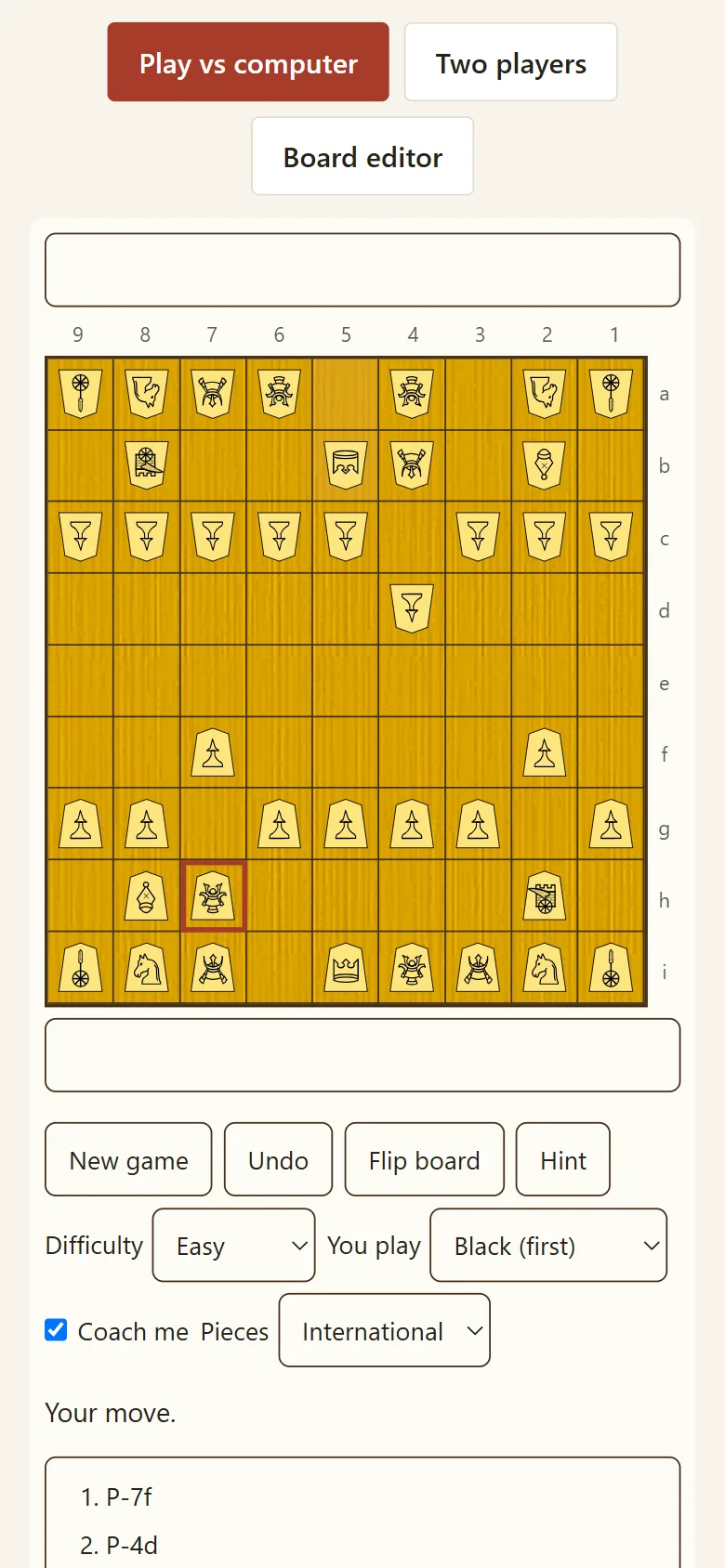
If you just want a game now, you don’t need to install anything. The board on this site runs in any browser with no account. You can play shogi online or against the computer at three strengths, and switch between kanji and international pieces. It doesn’t host games against other people. Use the apps above for that.
How to choose a shogi app
- Want rated games against people? Shogi Wars for speed, 81Dojo for longer games, Lishogi for a free browser option.
- Want to play the computer? Piyo Shogi on a phone, or this site in a browser.
- Still learning the pieces? Pick an app with move guides, and read our shogi pieces guide.
- Want to study, not just play? Combine an app with analysis and a good book from our best shogi books list.
Prefer a physical board for some games? Our shogi set buying guide covers what to buy.
FAQ
What is the best shogi app?
It depends on use. Shogi Wars is the go-to app for fast online games, 81Dojo is the best free app for international play, and Piyo Shogi is the best app for playing the computer. All three are on iPhone and Android with English menus.
Is there a free shogi app?
Yes. 81Dojo is completely free with no in-app purchases. Piyo Shogi and Shogi Quest are free with ads. Shogi Wars is free for 3 games a day. Lishogi is free with no ads but runs in a browser rather than as an app.
Does Lishogi have an app?
As of October 2026, Lishogi has no official app in the App Store or Google Play. The website is designed to work on phones, so you can play in your mobile browser.
Can I play shogi on my phone in English?
Yes. Shogi Wars, 81Dojo, Piyo Shogi, Shogi Quest and Kanazawa Shogi 2 all list English as a supported language. The browser version of Piyo Shogi is Japanese only.
Which shogi app is best for beginners?
Piyo Shogi, because it has an introductory course, hints, move guides and very weak computer levels. For first games against people, Shogi Quest has a quick sign-up and very weak bots to warm up on.